EXIF metadata repair

Your scanner writes its own name into your film photos.

We've all been there. Scanning images and seeing the scanner's name instead of your camera's in the metadata.

ScanCorrect is a tool to rewrite the EXIF metadata in your scanned film photos.

macOSWindowsLinux
HP5_221025_022.jpgcorrected
EXIF · IFD0
-MakeEpson
-ModelPerfection V600
-SoftwareEpson Scan 2
+MakePentax
+ModelME Super
+LensSMC Pentax-M 50mm f/1.7
+ISO400
+FNumberf/1.7
Before / after

Drag the line. Watch your scanner's fingerprints disappear.

Same frame, same file — only the metadata changes. The scanner's guesses on the left, your real camera on the right.
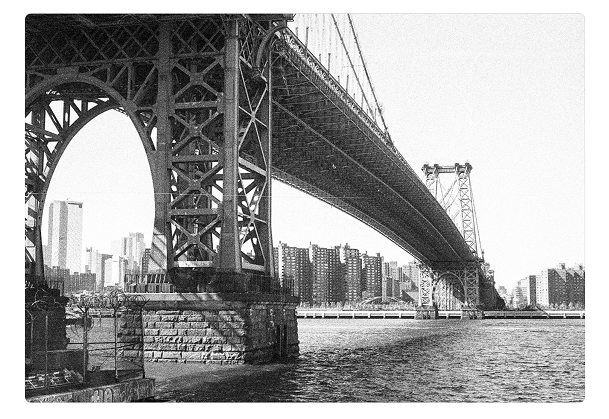
film frame
corrected
HP5_221025_022.jpg
EXIF · IFD0
CameraPentax
ModelME Super
LensSMC Pentax-M 50mm f/1.7
ISO400
Apertureƒ/1.7
Software
5 fields restored from camera profile
film frame
scanner
HP5_221025_022.jpg
EXIF · IFD0
CameraEpson
ModelPerfection V600
Lens
ISO
Aperture
SoftwareEpson Scan 2
3 fields written by your scanner
drag
ScanCorrect
8 images loaded
Discard AllSave Changes (8)
HP5_221025.jpg
pending
HP5_221026.jpg
pending
HP5_221027.jpg
pending
HP5_221028.jpg
pending
HP5_221029.jpg
pending
HP5_221030.jpg
pending
HP5_221031.jpg
pending
HP5_221032.jpg
pending
Metadata
HP5_221026.jpg
Camera Make
EpsonPentax
Pentax
Camera Model
Perfection V600ME Super
ME Super
Lens
50mm f/1.7
50mm f/1.7
01

Camera profiles

Save each body and lens once; Nikon FM2, Leica M6, Mamiya 7, then apply across hundreds of scans.

profilesunlimited
fieldsmake · model · lens · iso
02

Batch rewrite

Drop a roll, pick a profile, click once. Every frame gets the same correct metadata.

per roll36+ frames
formatsjpg · jpeg · tiff
03

Local & offline

Runs entirely on your machine. No cloud, no sign-up, no telemetry.

networknone
engineexiftool
How it works

Four steps from "Epson" to your actual camera.

01 / drop

Drag a folder of scans into ScanCorrect. It reads the existing EXIF and flags anything stamped by your scanner.

02 / profile

Pick or create a camera profile. The correct make, model and lens stage as pending changes on every selected frame.

03 / review

Scan the diff in the sidebar — struck-out scanner data, the corrected values in blue. Tweak any field by hand.

04 / write

Hit Save. ExifTool writes the metadata back to your files in place. Undo any change from History.