ScanCorrect
Transform generic scanner metadata into proper camera details. ScanCorrect gives you a beautiful drag-and-drop interface to fix camera metadata in your scanned film images, with batch processing and no external dependencies.
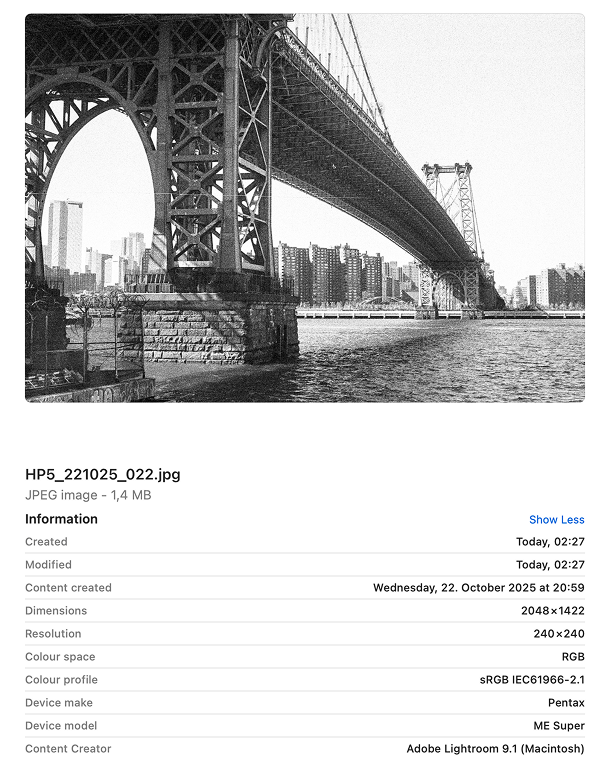
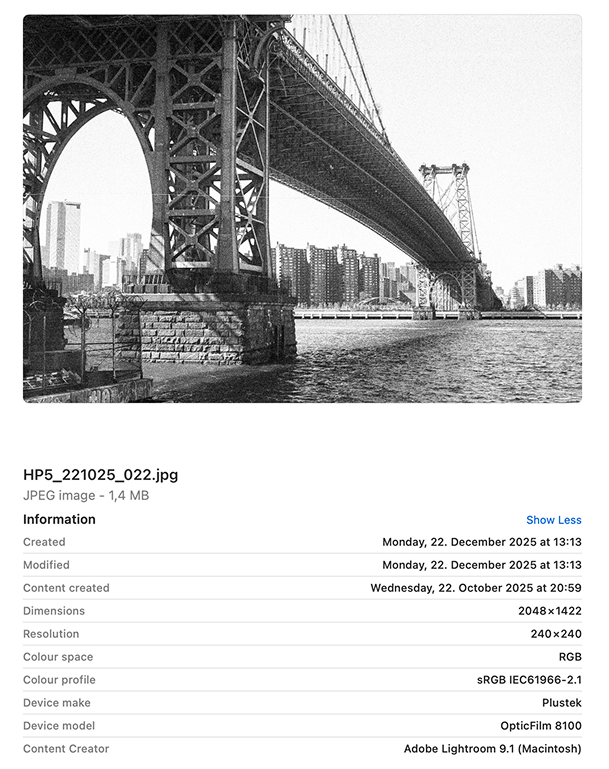
Your scanner doesn't know your camera
When you scan film, your scanner writes its own make and model into the EXIF data. Your Nikon FM2 becomes an "Epson V600". Your Leica M6 becomes a "Plustek OpticFilm 8200i". Your carefully catalogued film archive becomes unsearchable by the cameras you actually used.
ScanCorrect fixes that.
Everything you need to fix your scans
Camera Profiles
Save your cameras once, apply to hundreds of scans. Create profiles for each camera and lens combo you own.
Batch Processing
Process an entire roll in one drag-and-drop. Select your profile, drop 36 frames, done.
Scanner Detection
Automatically flags scans that need fixing. Detects Epson, Plustek, Nikon, and other common scanner metadata.
Location Tagging
Add where you shot it, not where you scanned it. Search for places and batch-apply GPS coordinates.
Film Stock & Exposure
Tag your Portra 400, your Tri-X, your HP5. Add ISO, aperture, shutter speed — all the metadata your scanner can't know.
Safe & Undoable
Every change creates a backup. Made a mistake? Undo any edit from the processing history.
Works with your workflow
Fix your metadata before import. No plugins to install, no command line to learn.
Lightroom Classic
Process your scans with ScanCorrect before importing to Lightroom. Your camera filters will finally work on film scans.
Works with Lightroom Classic 2015 and later
Capture One
Fix metadata before adding to your Capture One catalog. Search and filter by the cameras you actually used.
Compatible with Capture One 20 and later
How it works
Create Profiles
Add your cameras once. Name them, set the make and model, add lens info if you want.
Drop Your Scans
Drag a folder of scans onto the app. ScanCorrect shows you which ones have scanner metadata.
Apply & Done
Pick a profile, click apply. Your scans now have proper camera metadata.
Demo coming soon
Simple pricing
Start free. Upgrade when you need more.
free
- Fix camera make and model
- Unlimited profiles
- Batch processing
- Scanner detection
- Works offline
- No account required
pro
- Everything in Free
- Location tagging with search
- Film stock metadata
- Exposure settings (ISO, aperture, shutter)
- Processing history & undo
- Priority support
Ready to fix your film photos?
Download ScanCorrect for free. No account required, works offline.